
Fundamentals
What Is ADLC? The Software Development Lifecycle When AI Agents Write the Code
What is ADLC? The software development lifecycle when AI agents write the code — 6 phases, how it differs from SDLC, and how to start.

You’re trying to open a website when the screen says, “This content is not available in your country.” A friend tells you to “turn on a VPN to change your IP and you’ll be able to watch it”, while someone else says “a proxy works too — it also changes your IP”. At first glance, a VPN and a proxy seem to do the same thing. Both involve your IP address — but what is an IP, and why does changing it let you reach content that’s blocked in your region?
In this article, you’ll learn what IP, VPN and proxy are, what a proxy and a VPN do with your IP address, and when to use which. Throughout, I’ll use one familiar image: sending a letter by mail.
An IP address is a string of numbers that identifies your device on the internet — like the address written on an envelope. Every time you open a website, the data needs to know where to go and where to send the result back, and the IP address is exactly that information.
Imagine you’re Lan, living in Da Nang. Your internet provider assigns your home modem a public IP — for example, 203.0.113.25 (an example number). The phone and laptop in your house also have private IPs in the form 192.168.x.x, but once traffic leaves for the internet, everything shares the modem’s public IP.
A website only sees this public IP. From it, they can guess your provider and your approximate area — say, “Da Nang, Vietnam”. They don’t know your street address, but that’s enough to block videos by country or show ads for your region.
So if you want to change what a website sees about you, the most direct way is to change the address on the envelope. Both a proxy and a VPN do this — but in two different ways.
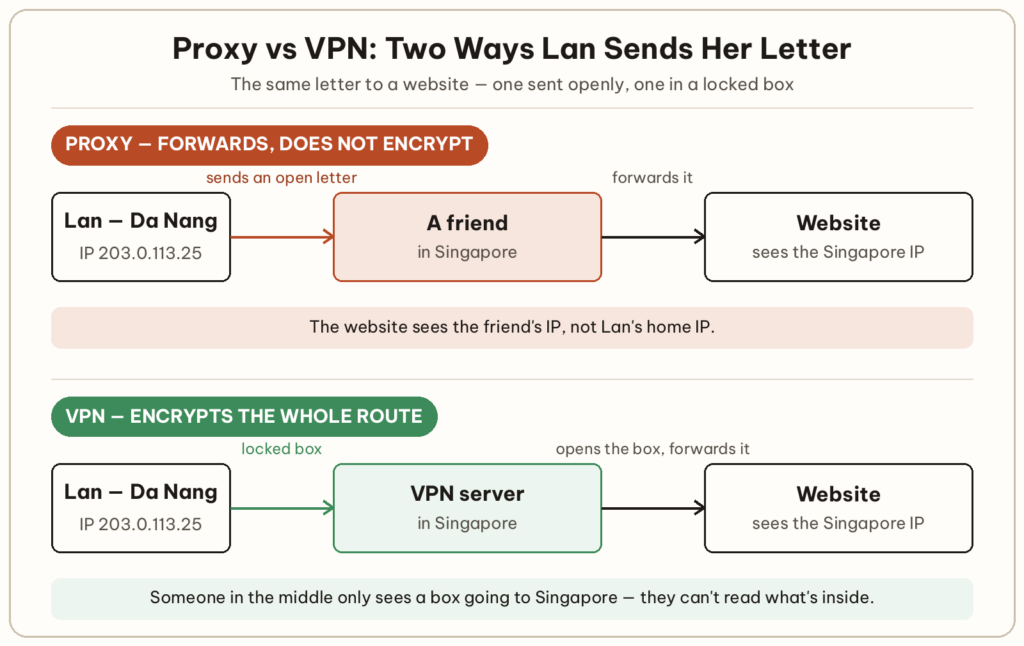
A proxy is a middleman server: your request goes through it first, and it forwards the request to the website on your behalf. It’s like Lan asking a friend in Singapore to receive her letter and forward it — the recipient sees the friend’s address on the envelope, not Lan’s home address.
As far as the website is concerned, you’re now in Singapore, so region-blocked videos become watchable. That’s the proxy’s strength: it’s simple, usually fast, and can be set up for a single browser or a single app.
The weakness is that a proxy usually only changes the sender’s address — the connection itself gets no extra encryption. The proxy operator can see which sites you visit. On HTTPS sites, the content stays encrypted between your browser and the website, but the proxy still sees the name of the site you’re visiting. So think carefully before using an unfamiliar proxy, especially a free one.
A VPN (virtual private network) also changes your IP, but it does one more important thing: it encrypts the entire connection between your device and the VPN server. Back to the letter example — this time Lan puts her letter in a locked box and sends it to the person in Singapore. Only that person has the key; they open the box and forward the letter.
That way, anyone standing in the middle — like the owner of the café Wi-Fi you’re using, or your internet provider — only sees a box being sent to Singapore, without being able to read what’s inside. The website at the end sees the VPN server’s IP, just as with a proxy.
It’s also worth saying clearly that a VPN doesn’t remove the risk — it moves it somewhere else. Instead of trusting your internet provider, you’re trusting the VPN provider, because they’re in the position to see your traffic. So choose a reputable provider.
Note: because your data has to be encrypted and takes a detour, the speed is usually a little slower than a direct connection.
A familiar example: Tailscale is a kind of VPN that connects your devices into a private network — I’ve covered how to install it and connect your devices in that article.
VPN and proxy differ mainly in two ways: a VPN encrypts the entire connection of your device, while a proxy usually only forwards requests from individual apps without adding encryption. The table below puts the two side by side.
| Criteria | Proxy | VPN |
|---|---|---|
| Changes the IP shown | Yes | Yes |
| Encrypts the connection | Usually not | Yes |
| Scope | A single browser or app | Usually the whole device |
| Speed | Usually faster | Usually a little slower |
So how do you choose? If you’re sitting in a café and need to sign in to your email or bank, use a VPN — the connection is encrypted. If you just need to change your IP quickly for something that isn’t sensitive, like watching a region-blocked page in your browser, a proxy is enough. And when you’re not sure, go with a VPN from a reputable provider.
Yes. The website sees the VPN server’s IP instead of your home IP. The IP your provider assigned to your modem stays the same — the website just can’t see it anymore.
Usually not. A proxy can be set up to encrypt, but the setup is far more complicated than just turning on a VPN. On HTTPS sites, the content stays encrypted between your browser and the website, but the proxy still knows which site you’re visiting.
No. Websites still recognize you through your signed-in accounts and cookies, and the VPN provider knows your real IP. A VPN only hides your IP and your connection — it doesn’t erase the traces of who you are.
Don’t assume they are. Every service costs money to run, so when you’re not paying, the provider may make money in other ways, such as ads or user data. Read their logging policy before installing one.
It’s worth considering, but not required. Most websites today use HTTPS, so the content is already encrypted. A VPN adds another layer, hiding even which sites you’re visiting from the Wi-Fi owner.
Type “what is my IP” into a search engine and note the number it shows. Then turn on your VPN or proxy and check again: if the number has changed to an address somewhere else, you’ve just seen the “address on the envelope” change with your own eyes.
Full-stack developer

What is ADLC? The software development lifecycle when AI agents write the code — 6 phases, how it differs from SDLC, and how to start.
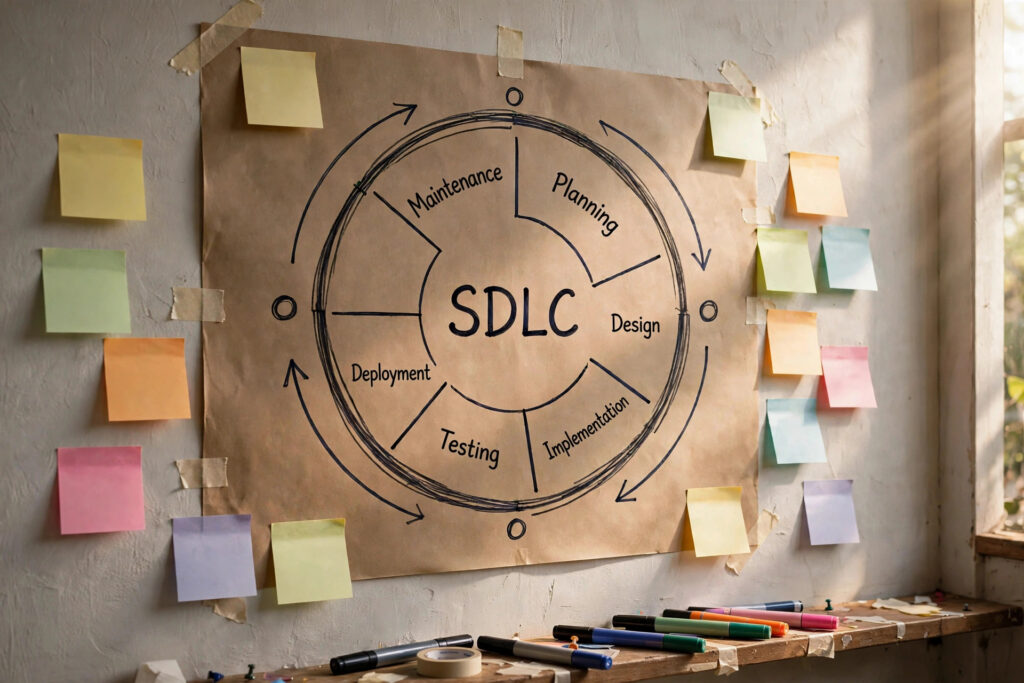
What is SDLC? The 6 phases of software development and 3 models — Waterfall, Agile, Spiral — explained through a small online shop.

What is an API, and why does every app you use every day — ordering food, signing in with Google, checking the weather — need one? Explained simply with real examples, plus a chance to call a real API yourself.
Comments
You can use your Google account to comment. Google only shares your verified name and email address to display your name. You can log out at any time.
Sign in with GoogleNo comments yet. Be the first!